

Create the mission
- Open Missions in the intended Command Center.
- Choose Create New, then New Mission.
- Double-click the mission name at the top, enter Practice bill review message, and press Enter.
- Select the trigger node, search for Manual Trigger, and choose its action.
Add the mapping step
Use the plus control below the trigger. Search for Data Mapper and select Advanced Mapping. Replace the default Mapping object with:Test and inspect
Wait for the edit to finish saving, then choose Test Step. Open Output and confirm both fields match the JSON above.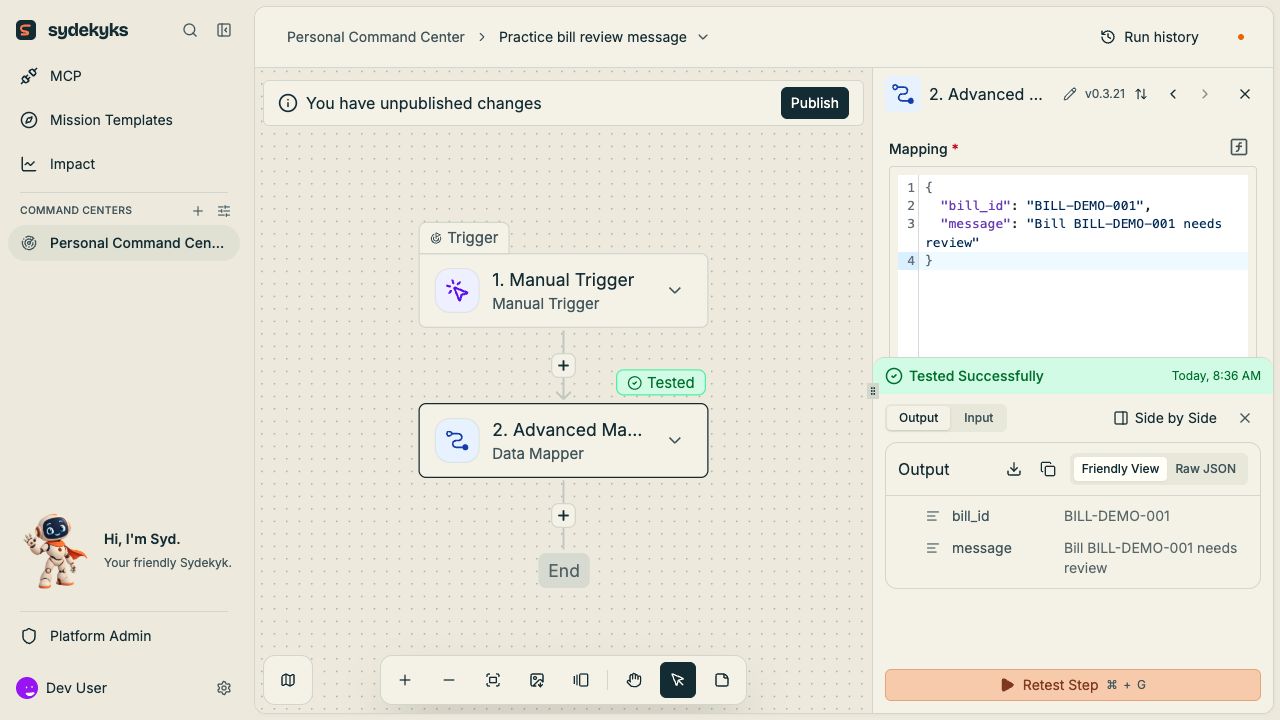
Publish and run
Choose Publish. In the tested build, publication enables this manual-trigger mission and displays Run Mission on the canvas. Confirm the enable switch and use Run Mission to invoke it. A manual trigger waits for invocation; enabling it does not schedule runs. Select the mapping step in the completed run and inspect Output. Open Run history and select the recorded invocation to confirm the result was saved.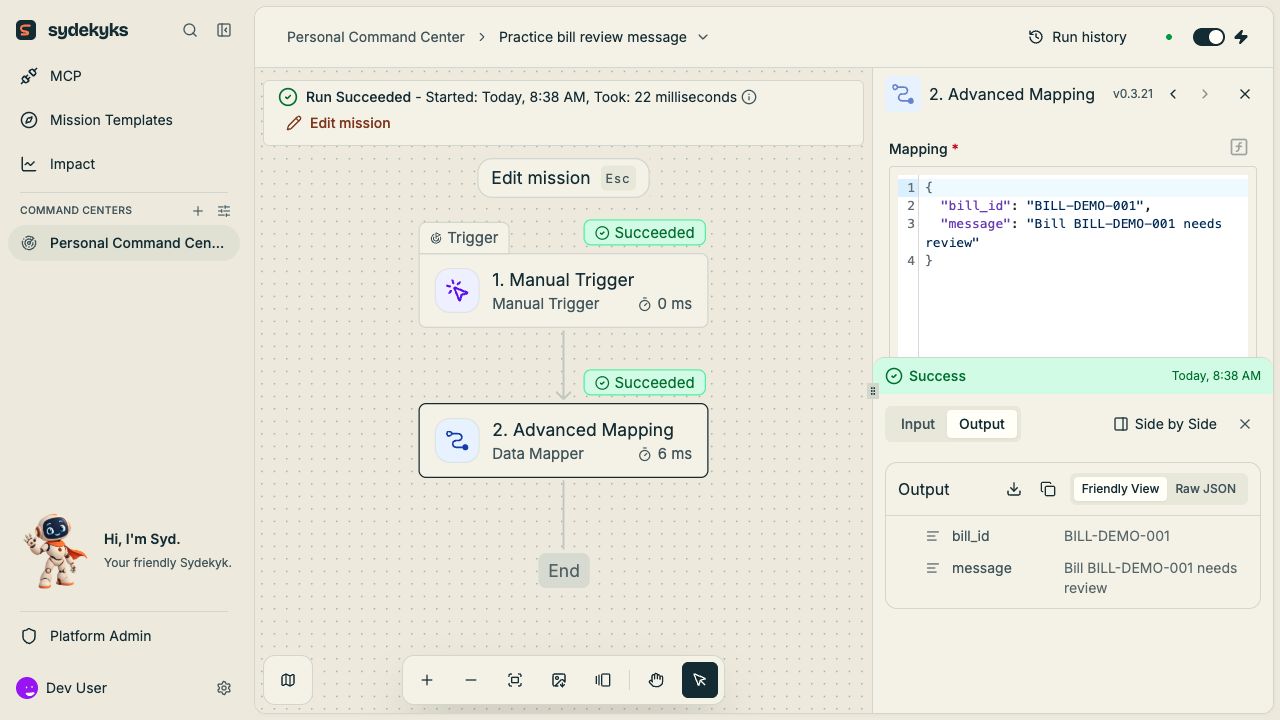
Add a mapped step later
Add another action after Advanced Mapping and choosebill_id or message from its output in the data selector. See passing data. Use test accounts and destinations when adding a send, write or delete action; testing it can affect the connected app before publication.
Custom Code prerequisite
A Code step is a separate option requiring its supported sandbox runtime. If it fails withAP_DENO_PATH is not set, ask your operator to configure the Deno binary for the selected release. The built-in mapping walkthrough above does not need custom Code. See feature availability.